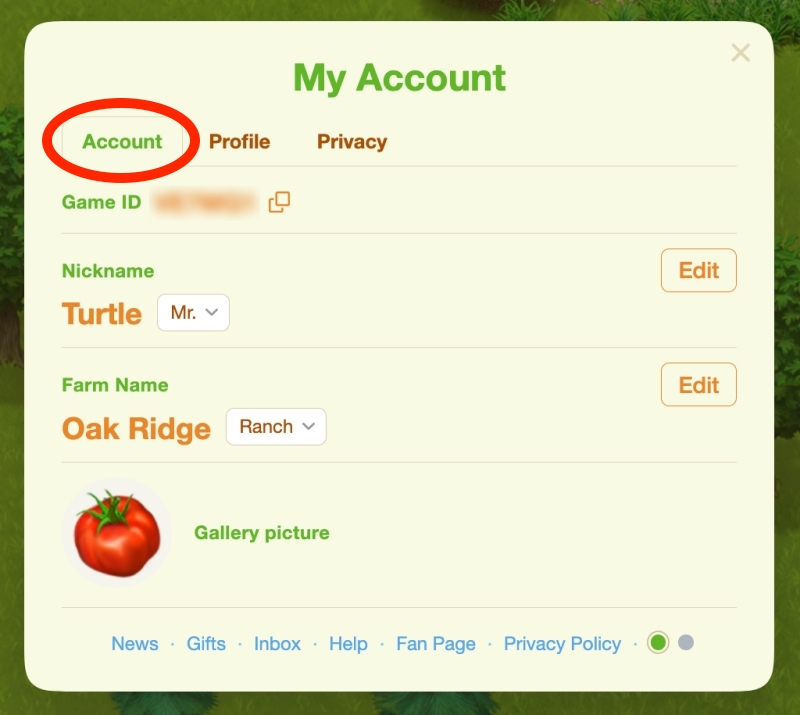
- Account (Nickname, Farm Name, Gallery Picture)
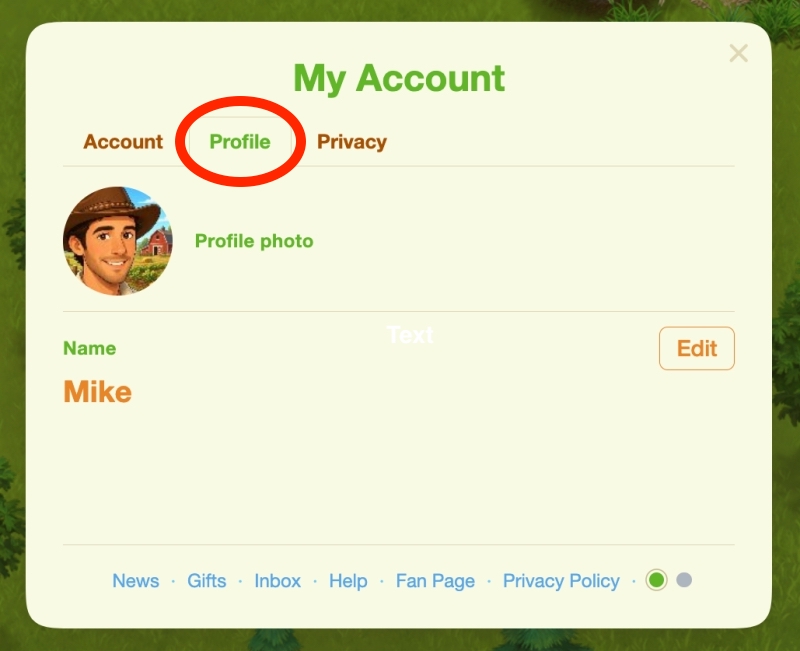
- Profile (Change Profile Photo and Name)
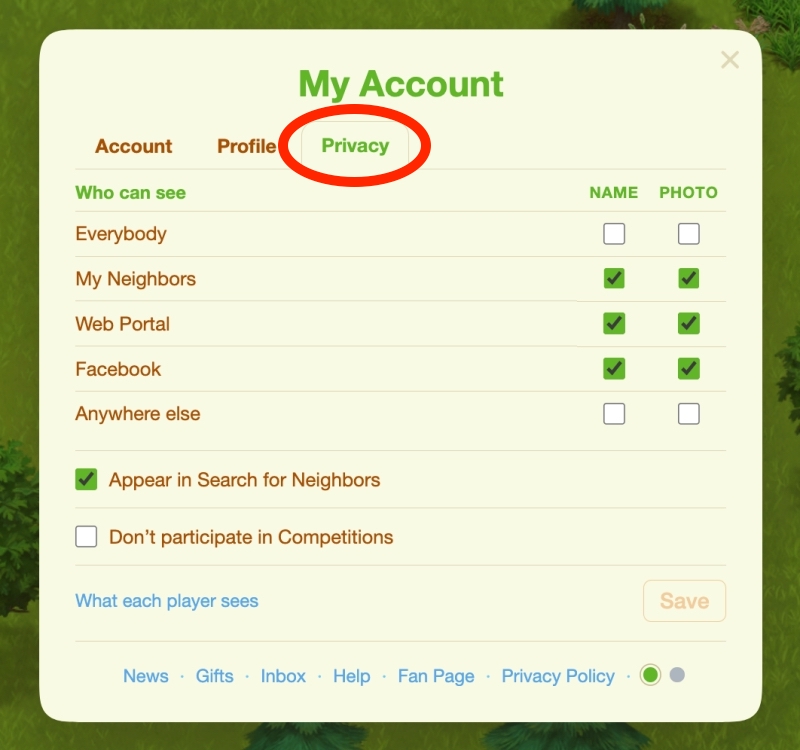
- Privacy (Control who can see what)
On Facebook
If you are logged in with Facebook, you can find My Account at the bottom right of the game, below Settings.
Account
Here you see your Game ID, and you can set your:
- Nickname — What the Farm characters call you, and the name other players see in social features — Neighbors, Chat, Competitions and Leaderboards — unless you share your Name with them.
- Farm Name — What your Farm is called — on your quest arrow, in the Newspaper, and on the sign your Neighbors see when they visit. Pick the word that comes with it (Farm or Ranch), or pick No word and write the whole name yourself.
- Gallery picture — Your Gallery picture is the “default” one, chosen from our gallery. Any player you have not shared your Profile photo with sees this one.
Profile
Profile photo — A photo of your own, so your Neighbors know it is you. Only the players you tick on the Privacy tab see your Profile photo; everyone else sees your Gallery picture.
Your photo must be in JPG, PNG, or WEBP format and no larger than 8 MB.
Name — The Name other players see when they visit your Farm. Only the players you tick on the Privacy tab see it; everyone else sees your Nickname.
Privacy
Your Neighbors are split between Facebook and the Web Portal now. Tick who may see the Name and Profile photo you set, so they can recognize you. Everyone else sees your Nickname and Gallery picture. You start with your Neighbors ticked, and nobody else.
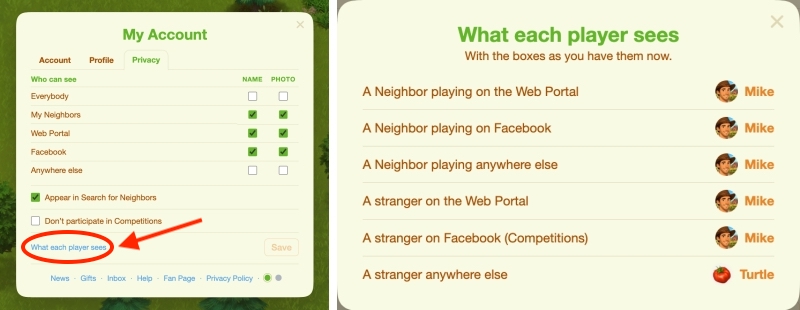
At the bottom-left the button What each player sees allows you to see how each category sees your profile.
On the Web Portal
If you are logged in on the Web Portal, click your Name at the top right, then select My Account.
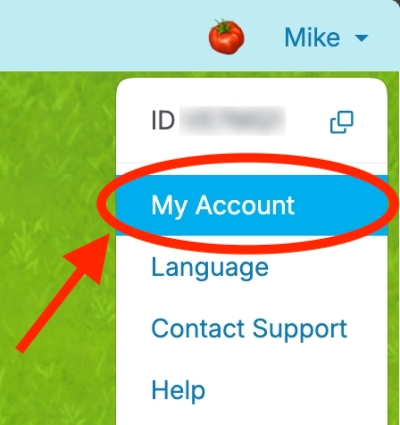
The Web Portal has the same Account, Profile and Privacy tabs as Facebook, so you can follow the instructions in the Facebook section above.
Sign-in
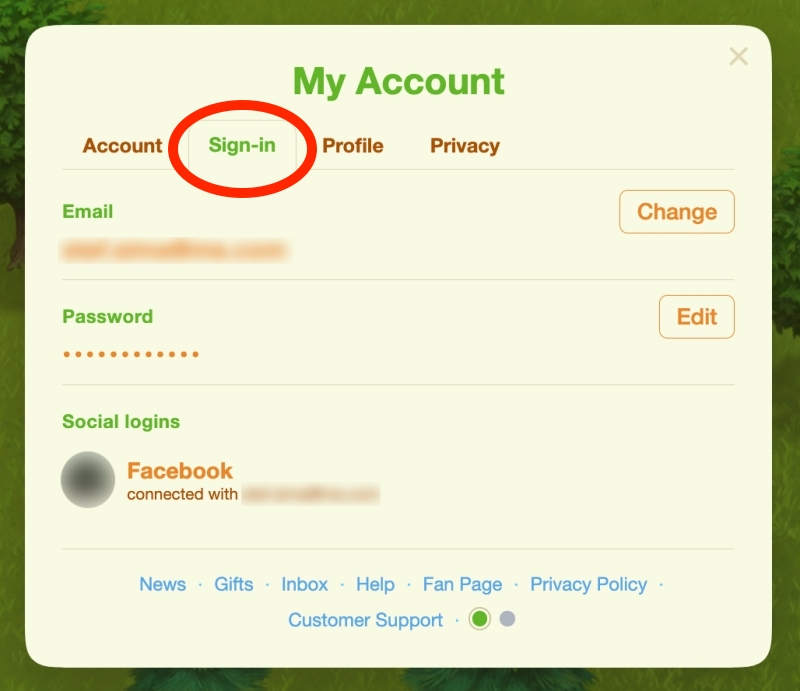
The extra tab is the Sign-in tab, where you can set your Email and Password.