
Automation allows your Gear & Animals to run automatically using Operation Points (OPs).
1. Using the Automation Panel
To view the individual ON/OFF toggles for your Animals and Gear, click the two gear icons in the Automation Panel. This opens a menu with global options and displays ON/OFF buttons on each Animal and Gear. Leave a toggle ON to enable Automation for that item.
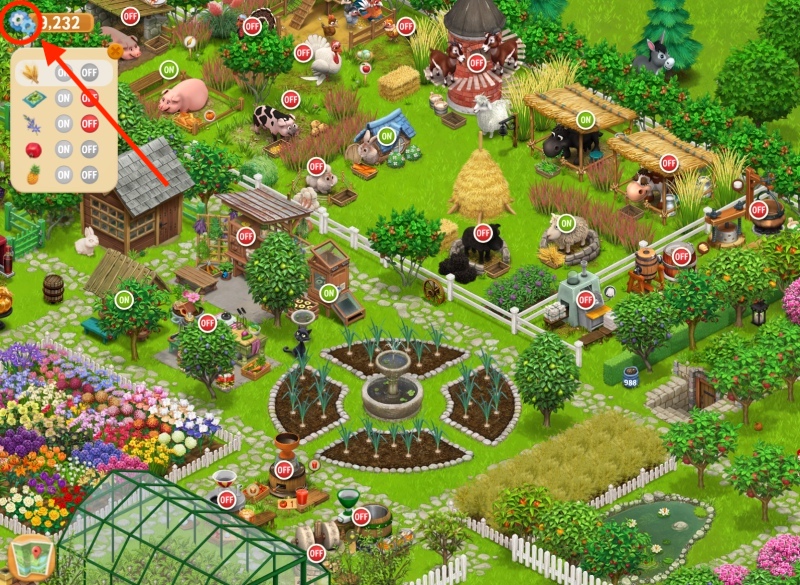
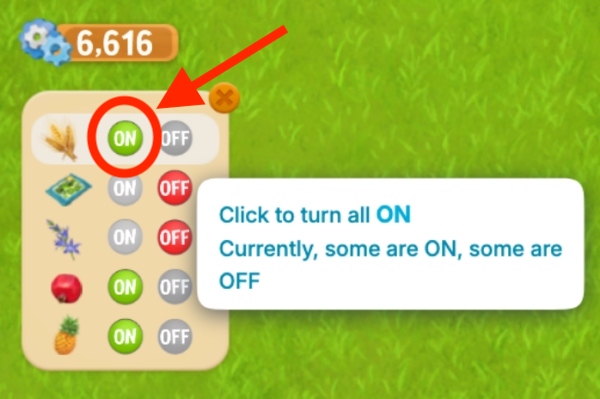
The Automation Panel also includes these options:
- ON — enables Automation for all Animals and Gear
- OFF — disables Automation for all Animals and Gear
2. Hovering Over an Item
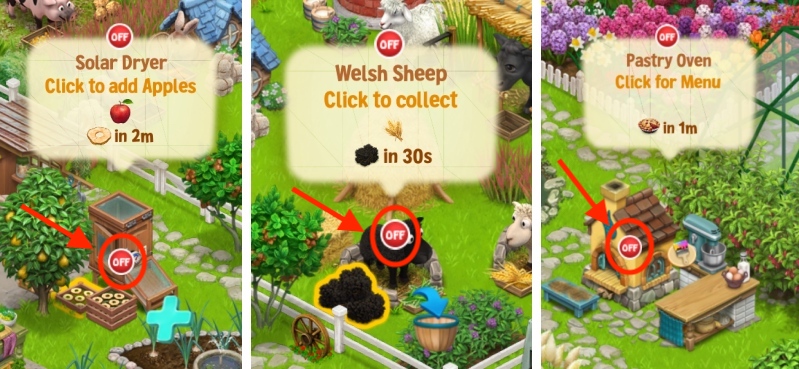
Alternatively, you can enable Automation for individual Animals or Gear by hovering over them.
A small OFF/ON button will appear directly over the item — click it and select the option you want.
3. Gear Menu Toggle
When you open a specific Gear’s menu (like the Spice Shack), an ON/OFF toggle appears in the top-right corner. Click it to turn Automation ON or OFF for that Gear.
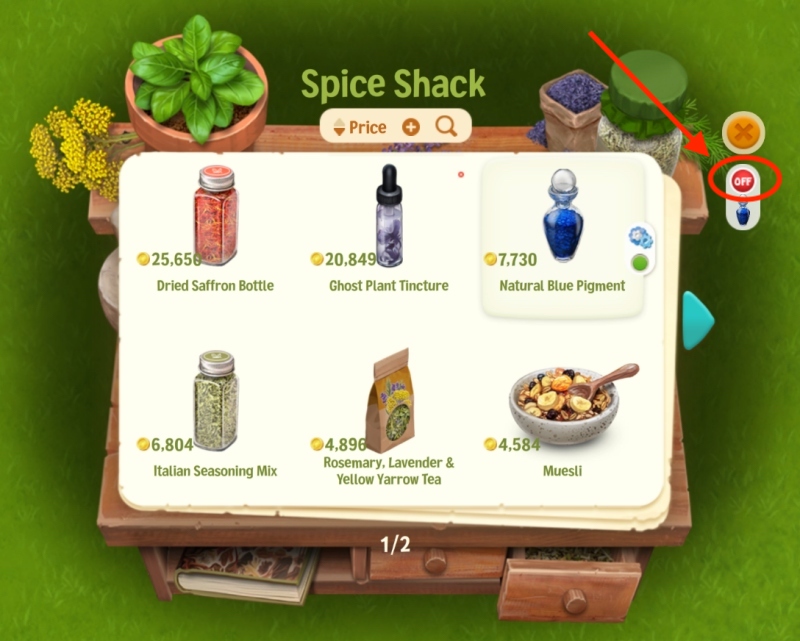
shows which item is currently selected for Automation.
This also works for the Farm Kitchen and Craft Shack.
For more details on how Automation works for Complex Gear, click HERE.
How to Get More OPs
Automation runs using OPs, usually at the cost of 1 OP per action (load, collect, refill), 7 OP for Recipes/Crafts. To see more about OPs and how to get more, click HERE.